
Time4Bets on a Phone: Slots, Live Tables and Account Access
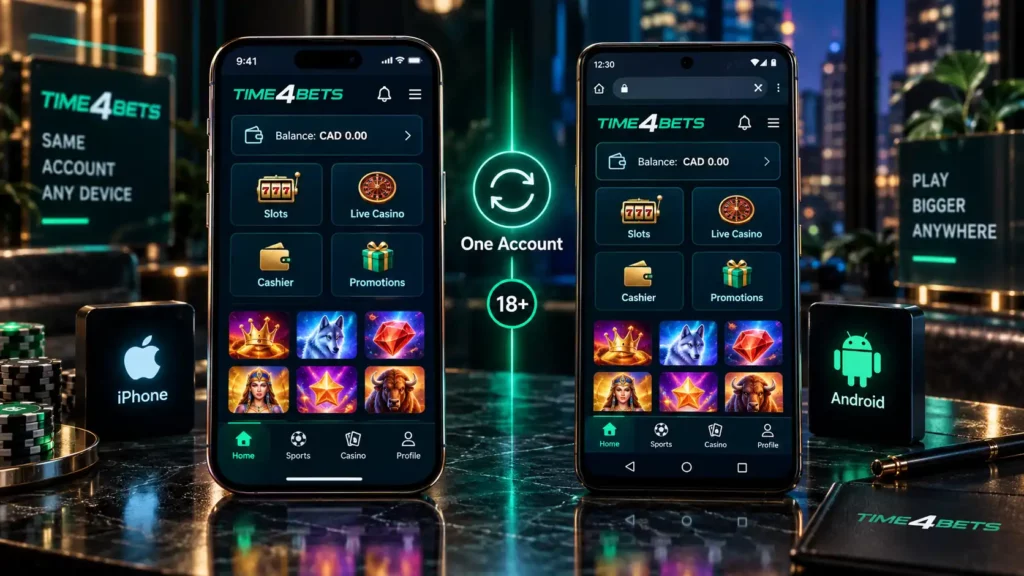
Time4Bets gives Canadian users two confirmed mobile routes. An iPhone or iPad can use the client distributed through TestFlight. Android users open the responsive site in a current browser and may add a shortcut to the home screen. The browser also remains available on iOS when no installation is wanted.
Both routes lead to the same account. The slot catalogue, live tables, balance, bonus status, KYC notices, cashier records and support history stay connected to the desktop profile. No transfer is needed when moving from a computer to a phone. The change is physical: less screen space, touch controls and a connection that may weaken while a dealer round continues. This page covers setup, game behaviour, device requirements, bonuses and payments. Slots may still provide demo mode, while live tables need a steadier signal. Time4Bets sets an 18+ minimum, and local rules still apply.
Time4Bets on iPhone via the TestFlight Route
The iPhone route looks unusual because the platform client is not installed by searching for Time4Bets directly in the App Store. Apple distributes the current build through TestFlight, its tool for test and pre-release applications. TestFlight itself comes from the App Store. The invitation should come from the official Time4Bets mobile page.
Use this order:
- Install TestFlight from the App Store and confirm that Apple is listed as the publisher.
- Return to the official mobile page and open the current Download Time4Bets invitation.
- Tap Install and keep the device connected until the build finishes loading.
- Open the client and sign in with the registered email or username and password.
- Enter the current two-factor code when optional 2FA is enabled.
- Check that the slot lobby, live casino and account balance match the existing profile.
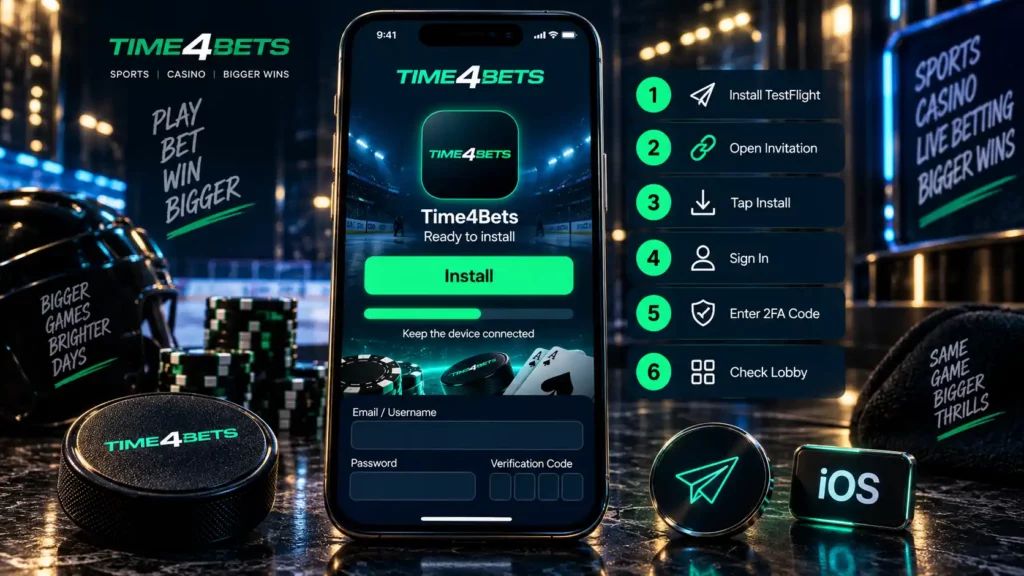
Before starting, free storage for the client and game cache, update iOS and use a stable network. Old invitations may expire, so reopen the current official route. A Time4Bets app download search can lead to instructions, but it does not verify a page. New builds arrive through TestFlight, with no unknown configuration profile required.
Time4Bets on Android Through the Mobile Version
Android uses the mobile website rather than a confirmed native package. Open the official platform in Chrome or another current browser, sign in and let the page resize for the device. Where the browser offers Add to Home screen, save a shortcut for quicker access. The icon still opens the web version.
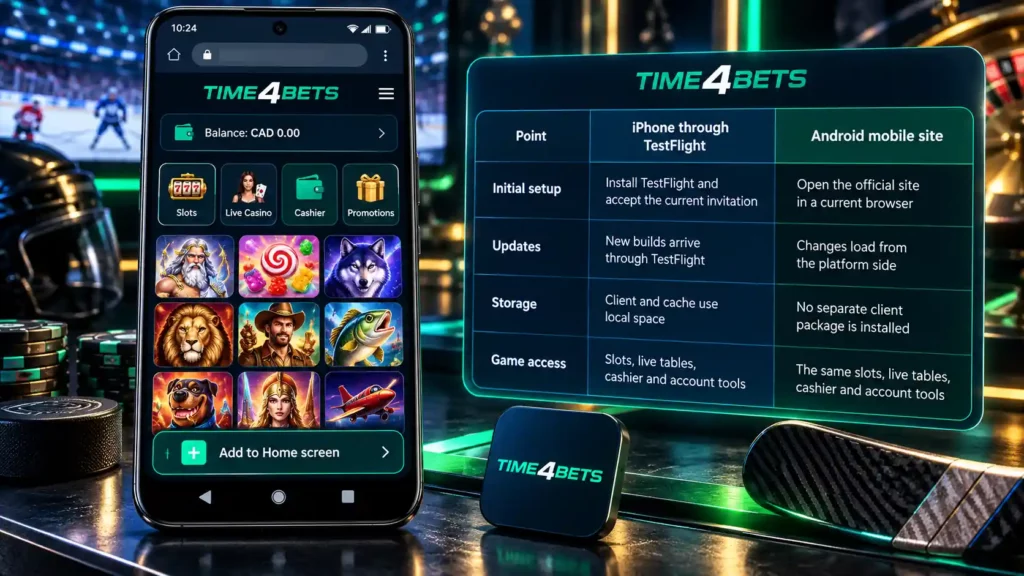
| Point | iPhone through TestFlight | Android mobile site |
| Initial setup | Install TestFlight and accept the current invitation | Open the official site in a current browser |
| Updates | New builds arrive through TestFlight | Changes load from the platform side |
| Storage | Client and cache use local space | No separate client package is installed |
| Game access | Slots, live tables, cashier and account tools | The same slots, live tables, cashier and account tools |
Keep the browser updated and allow cookies needed to preserve login. Heavy animated slots can use more memory than simple card games, so close unused tabs and background apps when pages stutter. Disable aggressive data saving during live tables because it can compress or pause the stream. Demo mode for supported slots works as on desktop.
A Time4bet app download search should not end with an unknown Time4bets apk file. The confirmed Android route does not require Play Protect to be disabled or installation from an unfamiliar source.
How Time4Bets Games Behave on a Small Screen
Slots usually adapt well to portrait orientation. The spin control, stake panel and feature buttons stay within thumb reach, while the information window remains available for checking RTP, volatility, paylines and bonus rules. A smaller screen can hide secondary controls, so open the game information before the first real stake. Supported titles may offer demo mode for checking the minimum stake, layout and bonus pace. Demo winnings are not withdrawable and do not predict paid results.







Live tables place a continuous video feed behind the betting controls. The dealer opens the betting window, accepts chips for a limited time and continues the round even when the local picture briefly freezes. At a weak signal, the client or browser may lower video quality. That protects continuity but can make card details or table labels harder to read.
A few habits reduce avoidable errors:
- Use stable Wi-Fi or a strong mobile signal for live casino sessions.
- Close background downloads and other apps using memory or bandwidth.
- Do not switch between Wi-Fi and mobile data during a bet or dealer round.
- Check game history after an interruption before placing another wager.

An accepted wager remains part of the account record after a connection drop. A button press that never reached the platform is different. History is the practical way to tell them apart. Device performance can affect animation smoothness, but it does not change the mathematics of a slot or the result recorded by a live table.
Device Requirements and Data Use
No universal model list is published. Use a current operating system and browser, leave enough free memory to avoid page reloads, and allow space for TestFlight and cached game assets on iPhone. A screen lock, protected email and optional two-factor authentication matter more than raw processor speed for account security.
Data use differs sharply by product. A slot normally downloads its graphics and then exchanges smaller amounts of game data. A live table carries a continuous video stream and can consume much more. Exact usage depends on resolution, session length and network conditions, so no single megabyte figure is reliable.
Useful checks before a longer session include:
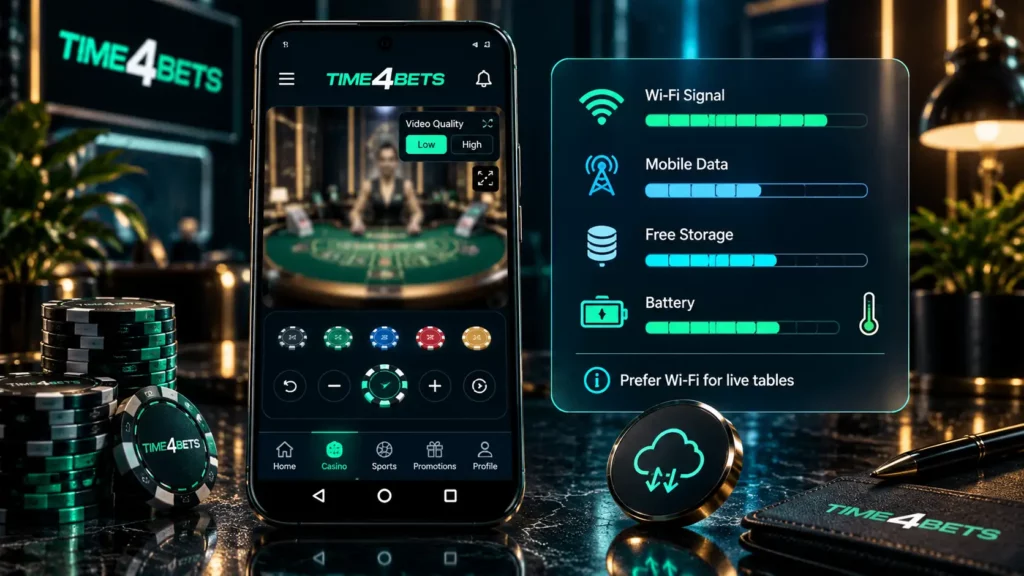
- Prefer Wi-Fi for live tables when the mobile plan has a tight data allowance.
- Lower video quality when the interface offers that control.
- Watch battery level and device temperature during long streamed sessions.
- Keep enough free storage for updates and temporary files.
- Avoid payment or KYC uploads on unsecured public Wi-Fi.
Battery-saving modes can reduce video quality or suspend background activity. Performance changes smoothness, not RTP, table limits or the recorded outcome.
Managing Time4Bets Bonuses from Mobile
The mobile bonus area uses the same Canadian welcome programme as desktop access. At each of the first three qualifying deposits, the player chooses one route: eligible Pragmatic Play Slots, eligible CreedRoomz live Blackjack or Sports. One route applies to that deposit, and the choice should be made before funding.



| Stage | Minimum deposit | Match | Golden Tree gift | Maximum payout |
| First | C$20 | 100% up to C$500 | 100 spins at C$0.20 | C$2,500 |
| Second | C$50 | 100% up to C$500 | 150 spins at C$0.20 | C$2,500 |
| Third | C$75 | 100% up to C$500 | 150 spins at C$0.20 | C$2,500 |
Across three stages, the package can reach C$1,500 and 400 Golden Tree Buy Bonus spins with a listed nominal value of C$80. Slots stays with eligible Pragmatic Play games; Blackjack applies to eligible CreedRoomz tables; Sports remains in the sportsbook. Blackjack and Sports require verification. Other conditions must be checked live.
The cashier can handle cards, Apple Pay and supported crypto for deposits. Current project limits are C$8 to C$42,600 per day for fiat and C$2 to C$142,000 per day for crypto. Payout routes include cards from C$29 to C$14,200, bank transfer from C$142 to C$142,000 per day, and supported crypto from C$29 to C$284,000 per transaction. Apple Pay is confirmed for deposits, not withdrawals.
KYC documents can be photographed or selected from the phone where upload is offered. Keep every edge visible and follow card-masking instructions. The Time4bet app route also opens 24/7 live chat.
Phone Play: Answers for Casino Regulars
It is required for the installed iOS client. Players who do not want the client can use the responsive site in Safari.
No confirmed native installer is required. Open the official site in a current browser and add a home-screen shortcut where supported.
Mobile and desktop use the same account and core catalogue. Individual titles can still be unavailable because of provider, device or regional restrictions.
Supported software games may provide demo mode in the client or browser. Virtual winnings are not withdrawable.
They can, but video is sensitive to signal quality and data-saving settings. Stable Wi-Fi is usually more comfortable for a long session.
No fixed amount is confirmed. Continuous video uses considerably more data than ordinary slot menus or account pages.
Yes. The same cashier routes and limits apply, subject to KYC and method availability.
Open the verification area and photograph or select the requested file. Keep it readable and fully inside the frame.
Reopen the account and check game history before wagering again. Contact live chat with the provider, table, time and round ID when the record remains unclear.
Open account security settings and follow the displayed setup. Keep recovery information private and never send a current code to support.
Gambling involves financial risk. Set a fixed budget before depositing, avoid borrowed money and never chase losses. Stop when casino play no longer feels recreational, and check the legal age and online-gambling rules in your Canadian province or territory.